
Building intelligent AI applications requires more than just chaining LLM calls together. You need a robust framework that can handle complex decision-making, maintain context across multiple steps, and adapt to different scenarios. That’s where LangGraph comes in.
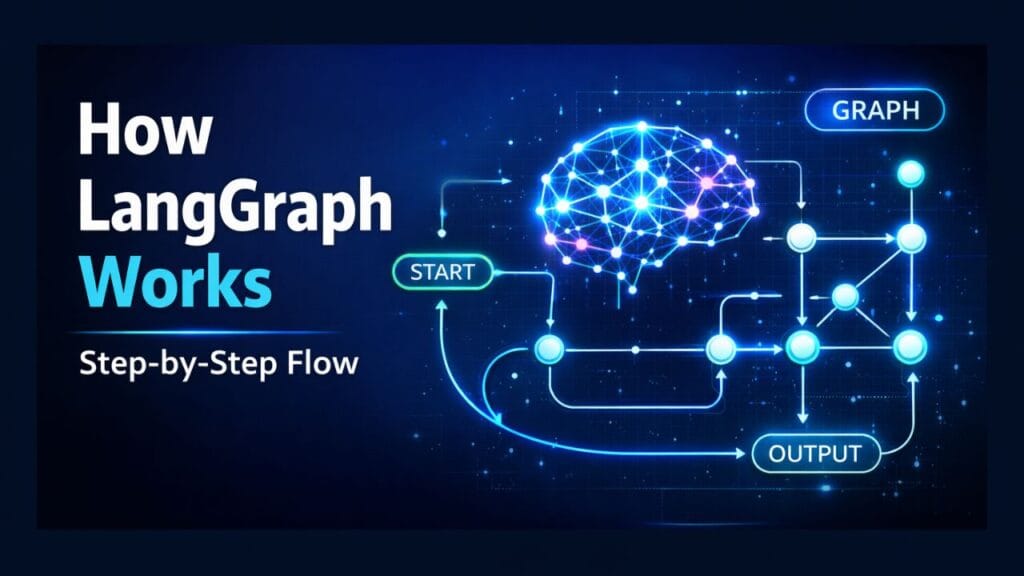
In this tutorial, we’ll dive deep into how LangGraph works internally, exploring its graph-based execution model, nodes, edges, and state management system.
What Is LangGraph?
LangGraph is a framework for building stateful, graph-based workflows for LLM-powered applications. Instead of executing steps in a fixed linear order, LangGraph lets you define your application as a graph of nodes, where each node performs a task and edges define how data and control flow between them.
Think of it as:
A way to design AI workflows like flowcharts—but with memory, branching, and looping.
This makes LangGraph ideal for complex AI systems such as autonomous agents, planners, and multi-step reasoning pipelines.
graph LR
    subgraph Traditional["❌ Traditional Linear Approach"]
        L1[Step 1] --> L2[Step 2] --> L3[Step 3] --> L4[Step 4]
    end

    subgraph LangGraph["✓ LangGraph Graph-Based Approach"]
        direction TB
        N1[Task Node]
        N2[Decision Node]
        N3[Action Node]
        N4[Memory Node]

        N1 --> N2
        N2 -->|Branch A| N3
        N2 -->|Branch B| N4
        N3 -->|Loop| N1
        N4 --> End([Complete])

        Memory[("Stateful Memory")]
        Memory -.->|Context| N1
        Memory -.->|Context| N2
        Memory -.->|Context| N3
        Memory -.->|Context| N4
    end

    subgraph UseCases["Ideal For"]
        UC1[🤖 Autonomous Agents]
        UC2[📋 Multi-Step Planners]
        UC3[🧠 Reasoning Pipelines]
    end

    Traditional -.->|Upgrade to| LangGraph
    LangGraph -.->|Powers| UseCases

    style Traditional fill:#ffebee,stroke:#c62828,stroke-width:2px
    style LangGraph fill:#e8f5e9,stroke:#2e7d32,stroke-width:3px
    style Memory fill:#e1f5ff,stroke:#0288d1,stroke-width:2px
    style UseCases fill:#fff3e0,stroke:#f57c00,stroke-width:2px
    style N2 fill:#f3e5f5,stroke:#7b1fa2,stroke-width:2px
The Graph-Based Execution Model
At its core, LangGraph uses a directed graph to represent workflow execution. Unlike traditional sequential pipelines, graphs allow for:
- Non-linear execution: Jump between different nodes based on conditions
- Cycles and loops: Retry operations or iterate until a condition is met
- Parallel execution: Run multiple nodes simultaneously when dependencies allow
- Dynamic routing: Choose different paths based on runtime decisions
This flexibility is what makes LangGraph powerful for building sophisticated AI agents that need to make decisions, recover from errors, and adapt their behavior.
Why Graphs Over Chains?
Traditional LLM chains execute steps in a predetermined order: A → B → C → D. But real-world AI applications often need:
- Conditional logic: “If the user asks for weather, call the weather API; otherwise, search the knowledge base”
- Error recovery: “If the API call fails, retry up to 3 times, then ask the user for clarification”
- Iterative refinement: “Generate a response, validate it, and regenerate if it doesn’t meet quality standards”
Graphs naturally express these patterns.
Key Concepts in LangGraph
Let’s break down the three fundamental concepts that make LangGraph work: Nodes, Edges, and State.
graph TD
    Start([Start]) --> State[("**State Object**<br/>• Conversation history<br/>• Tool outputs<br/>• Flags & counters")]

    State --> Node1["**Node: LLM Call**<br/>Unit of work"]

    Node1 -->|Sequential Edge| Node2["**Node: Tool Execution**<br/>Unit of work"]

    Node2 -->|Conditional Edge| Decision{Validation<br/>Required?}

    Decision -->|Yes| Node3["**Node: Validate Output**<br/>Unit of work"]
    Decision -->|No| Node4["**Node: Human Feedback**<br/>Unit of work"]

    Node3 -->|Loop Edge| Node1
    Node3 -->|Continue| End([End])

    Node4 --> End

    State -.->|Updates| Node1
    State -.->|Updates| Node2
    State -.->|Updates| Node3
    State -.->|Updates| Node4

    Node1 -.->|Modifies| State
    Node2 -.->|Modifies| State
    Node3 -.->|Modifies| State
    Node4 -.->|Modifies| State

    style State fill:#e1f5ff,stroke:#0288d1,stroke-width:3px
    style Node1 fill:#fff3e0,stroke:#f57c00,stroke-width:2px
    style Node2 fill:#fff3e0,stroke:#f57c00,stroke-width:2px
    style Node3 fill:#fff3e0,stroke:#f57c00,stroke-width:2px
    style Node4 fill:#fff3e0,stroke:#f57c00,stroke-width:2px
    style Decision fill:#f3e5f5,stroke:#7b1fa2,stroke-width:2px
1. Nodes
Each node in the diagram represents a specific unit of work in the LangGraph execution flow:
- LLM Call: Invokes the language model to generate responses
- Tool Execution: Runs external tools or functions (APIs, databases, calculators)
- Validate Output: Checks and verifies the results against quality criteria
- Human Feedback: Incorporates human-in-the-loop validation for critical decisions
In code, a LangGraph node is simply a Python function that receives the current state and returns updates to that state:
def llm_call_node(state):
    """Node that calls the LLM with the current conversation history."""
    messages = state["messages"]
    response = llm.invoke(messages)
    return {"messages": messages + [response]}

def tool_execution_node(state):
    """Node that executes a tool based on LLM's decision."""
    tool_name = state["selected_tool"]
    tool_input = state["tool_input"]
    result = execute_tool(tool_name, tool_input)
    return {"tool_output": result}
Each node is atomic and focused on a single responsibility, making your workflow easy to understand, test, and maintain.
2. Edges
Edges illustrate how execution flows between nodes. LangGraph supports three types of edges:
Sequential Paths
Direct progression from one node to another. This represents the “happy path” where execution flows naturally:
graph.add_edge("llm_call", "tool_execution")
In the diagram, this is shown as the direct progression from LLM Call → Tool Execution.
Conditional Branches
Decision points that route to different nodes based on runtime conditions. The diagram shows a decision point that routes to either Validate Output or Human Feedback based on validation requirements:
def should_validate(state):
    """Conditional edge function that determines next node."""
    if state.get("requires_validation"):
        return "validate_output"
    else:
        return "human_feedback"

graph.add_conditional_edges(
    "tool_execution",
    should_validate,
    {
        "validate_output": "validate_output",
        "human_feedback": "human_feedback"
    }
)
Loop Edges
Feedback loops that enable iterative refinement. Notice the loop from Validate Output back to LLM Call in the diagram:
def should_continue(state):
    """Check if we need to retry or can proceed."""
    if state["validation_passed"]:
        return "end"
    elif state["retry_count"] < 3:
        return "llm_call"
    else:
        return "end"

graph.add_conditional_edges(
    "validate_output",
    should_continue
)
This pattern is essential for building robust agents that can self-correct and improve their outputs.
3. State
The central State Object (shown in blue) maintains shared data throughout execution:
- Conversation history: All messages exchanged between user and AI
- Tool outputs: Results from API calls, database queries, or computations
- Flags and counters: Control flow variables like
retry_count,validation_passed, etc.
Notice the dotted lines showing how state is passed to each node and updated as the graph executes, ensuring all components have access to the current context.
State Schema
LangGraph uses a typed state schema to define what data flows through your graph:
from typing import TypedDict, Annotated, Sequence
from langchain_core.messages import BaseMessage
from langgraph.graph import add_messages

class GraphState(TypedDict):
    """State schema for our LangGraph workflow."""
    messages: Annotated[Sequence[BaseMessage], add_messages]
    tool_output: str
    retry_count: int
    validation_passed: bool
    selected_tool: str
    tool_input: dict
The Annotated type with add_messages is a special LangGraph reducer that automatically appends new messages to the conversation history instead of replacing it.
State Updates
Each node returns a dictionary of state updates. LangGraph automatically merges these updates with the existing state:
def validate_output_node(state):
    """Validate the tool output meets our criteria."""
    output = state["tool_output"]
    is_valid = len(output) > 0 and "error" not in output.lower()

    return {
        "validation_passed": is_valid,
        "retry_count": state["retry_count"] + 1
    }
This functional approach makes state management predictable and easy to debug.
Complete LangGraph Execution Flow Example
Let’s walk through how a complete LangGraph workflow executes using our diagram:
sequenceDiagram
    participant U as User
    participant S as State
    participant N1 as LLM Call Node
    participant N2 as Tool Execution Node
    participant D as Decision Point
    participant N3 as Validate Output Node
    participant N4 as Human Feedback Node

    U->>S: Initial query
    S->>N1: Pass state
    N1->>N1: Generate response
    N1->>S: Update with LLM response
    S->>N2: Pass updated state
    N2->>N2: Execute tool
    N2->>S: Update with tool output
    S->>D: Check validation requirement

    alt Validation Required
        D->>N3: Route to validation
        N3->>N3: Validate output

        alt Validation Failed
            N3->>S: Update retry count
            S->>N1: Loop back (retry)
        else Validation Passed
            N3->>S: Mark as complete
            S->>U: Return final result
        end
    else No Validation Required
        D->>N4: Route to human feedback
        N4->>N4: Request human input
        N4->>S: Update with feedback
        S->>U: Return result
    end
Step-by-Step Breakdown
- User Input: The user submits a query, which initializes the state with the first message
- LLM Call Node: The first node receives the state, invokes the language model, and returns an updated state with the LLM’s response
- Tool Execution Node: Based on the LLM’s decision, this node executes the appropriate tool (e.g., search API, calculator, database query)
- Decision Point: A conditional edge function evaluates whether validation is required based on the state
- Branching:
- If validation is required → routes to Validate Output Node
- If no validation needed → routes to Human Feedback Node
- Validation Loop: If validation fails and retry count is below threshold, the graph loops back to the LLM Call node to regenerate a better response
- Completion: Once validation passes or human feedback is received, the graph completes and returns the final result to the user
Building Your First LangGraph Workflow
Now that you understand the internals, let’s build a practical example: a research assistant that searches the web, validates results, and iteratively improves its answers.
Installation
pip install langgraph langchain langchain-openai
Define the State Schema
from typing import TypedDict, Annotated, Sequence
from langchain_core.messages import BaseMessage, HumanMessage, AIMessage
from langgraph.graph import add_messages

class ResearchState(TypedDict):
    """State for our research assistant."""
    messages: Annotated[Sequence[BaseMessage], add_messages]
    search_query: str
    search_results: str
    is_valid: bool
    retry_count: int
Create Node Functions
from langchain_openai import ChatOpenAI

llm = ChatOpenAI(model="gpt-4", temperature=0)

def generate_query_node(state: ResearchState) -> dict:
    """Generate a search query from the user's question."""
    messages = state["messages"]
    response = llm.invoke(
        messages + [HumanMessage(content="Generate a concise search query for this question.")]
    )
    return {
        "search_query": response.content,
        "messages": [response]
    }

def search_node(state: ResearchState) -> dict:
    """Execute web search (simplified)."""
    query = state["search_query"]
    # In reality, you'd call a real search API here
    results = f"Mock search results for: {query}"
    return {"search_results": results}

def validate_node(state: ResearchState) -> dict:
    """Validate if search results are sufficient."""
    results = state["search_results"]
    # Simple validation: check if results contain useful information
    is_valid = len(results) > 50 and "error" not in results.lower()

    return {
        "is_valid": is_valid,
        "retry_count": state.get("retry_count", 0) + 1
    }

def synthesize_answer_node(state: ResearchState) -> dict:
    """Create final answer from search results."""
    messages = state["messages"]
    results = state["search_results"]

    response = llm.invoke(
        messages + [HumanMessage(
            content=f"Based on these search results, answer the question:\n\n{results}"
        )]
    )

    return {"messages": [response]}
Define Conditional Logic
def should_retry(state: ResearchState) -> str:
    """Decide whether to retry search or proceed."""
    if state["is_valid"]:
        return "synthesize"
    elif state.get("retry_count", 0) < 3:
        return "generate_query"
    else:
        return "synthesize"  # Give up after 3 retries
Build the Graph
from langgraph.graph import StateGraph, END

# Initialize graph
workflow = StateGraph(ResearchState)

# Add nodes
workflow.add_node("generate_query", generate_query_node)
workflow.add_node("search", search_node)
workflow.add_node("validate", validate_node)
workflow.add_node("synthesize", synthesize_answer_node)

# Set entry point
workflow.set_entry_point("generate_query")

# Add edges
workflow.add_edge("generate_query", "search")
workflow.add_edge("search", "validate")

# Add conditional edge with loop
workflow.add_conditional_edges(
    "validate",
    should_retry,
    {
        "generate_query": "generate_query",  # Loop back
        "synthesize": "synthesize"
    }
)

workflow.add_edge("synthesize", END)

# Compile the graph
app = workflow.compile()
Visualize the Graph
LangGraph can generate a visual representation of your workflow:
from IPython.display import Image, display

display(Image(app.get_graph().draw_mermaid_png()))
Run the Workflow
# Initialize state with user question
initial_state = {
    "messages": [HumanMessage(content="What are the latest developments in quantum computing?")],
    "retry_count": 0
}

# Execute the graph
result = app.invoke(initial_state)

# Get final answer
final_message = result["messages"][-1]
print(final_message.content)
Advanced State Management Patterns
Reducers
Reducers control how state updates are merged. The add_messages reducer we used earlier appends messages instead of replacing them:
from langgraph.graph import add_messages

class State(TypedDict):
    # This will append new messages to the list
    messages: Annotated[list, add_messages]

    # This will replace the counter value
    counter: int
You can create custom reducers for specialized behavior:
def merge_search_results(existing: list, new: list) -> list:
    """Custom reducer that deduplicates search results."""
    all_results = existing + new
    return list(set(all_results))  # Remove duplicates

class State(TypedDict):
    results: Annotated[list, merge_search_results]
State Persistence
For long-running workflows, you can persist state between executions:
from langgraph.checkpoint.sqlite import SqliteSaver

# Create a checkpointer
memory = SqliteSaver.from_conn_string(":memory:")

# Compile graph with checkpointing
app = workflow.compile(checkpointer=memory)

# Run with a thread ID for persistence
config = {"configurable": {"thread_id": "research-session-1"}}
result = app.invoke(initial_state, config)

# Resume later with the same thread ID
continued_result = app.invoke(new_input, config)
Parallel Node Execution
LangGraph can execute independent nodes in parallel for better performance:
# These nodes can run in parallel since they don't depend on each other
workflow.add_node("search_web", web_search_node)
workflow.add_node("search_docs", doc_search_node)
workflow.add_node("search_database", db_search_node)

# They all start from the same node
workflow.add_edge("generate_query", "search_web")
workflow.add_edge("generate_query", "search_docs")
workflow.add_edge("generate_query", "search_database")

# And converge at an aggregation node
workflow.add_edge("search_web", "aggregate_results")
workflow.add_edge("search_docs", "aggregate_results")
workflow.add_edge("search_database", "aggregate_results")
Best Practices for LangGraph Workflows
1. Keep Nodes Focused
Each node should have a single, clear responsibility. This makes your graph easier to understand, test, and debug:
# ❌ Bad: Node does too much
def mega_node(state):
    query = generate_query(state)
    results = search(query)
    validated = validate(results)
    answer = synthesize(validated)
    return {"answer": answer}

# ✅ Good: Separate concerns
def generate_query_node(state):
    return {"query": generate_query(state)}

def search_node(state):
    return {"results": search(state["query"])}
2. Use Typed State Schemas
Type hints make your code more maintainable and catch errors early:
from typing import TypedDict, Optional

class MyState(TypedDict):
    messages: list
    count: int
    optional_field: Optional[str]
3. Handle Errors Gracefully
Add error handling nodes and edges for robust workflows:
def risky_operation_node(state):
    try:
        result = potentially_failing_operation()
        return {"result": result, "error": None}
    except Exception as e:
        return {"result": None, "error": str(e)}

def route_after_operation(state):
    if state.get("error"):
        return "error_handler"
    return "continue"
4. Limit Loop Iterations
Always include a maximum iteration count to prevent infinite loops:
def should_continue(state):
    if state["is_complete"]:
        return "end"
    elif state["iteration_count"] >= 10:
        return "end"  # Safety limit
    else:
        return "retry"
5. Log State Transitions
Add logging to understand how your graph executes:
import logging

def my_node(state):
    logging.info(f"Entering my_node with state: {state}")
    result = process(state)
    logging.info(f"Exiting my_node with updates: {result}")
    return result
Common Use Cases for LangGraph
1. Autonomous Agents
Agents that plan, execute, and adapt their behavior:
- Research assistants that search, validate, and synthesize information
- Code generators that write, test, and debug code iteratively
- Task planners that break down complex goals into subtasks
2. Multi-Step Reasoning
Workflows that require multiple reasoning steps:
- Mathematical problem solvers that show their work
- Legal document analyzers that extract and cross-reference clauses
- Medical diagnosis systems that consider multiple symptoms and tests
3. Human-in-the-Loop Systems
Applications that combine AI automation with human oversight:
- Content moderation workflows with human review
- Customer service bots that escalate to humans when needed
- Document generation with approval checkpoints
4. Error Recovery and Retry Logic
Robust systems that handle failures gracefully:
- API integrations with exponential backoff
- Data pipelines with validation and reprocessing
- Transaction systems with rollback capabilities
Conclusion
LangGraph’s graph-based execution model provides a powerful foundation for building sophisticated AI applications. By understanding how nodes, edges, and state work together, you can create workflows that are:
- Flexible: Adapt to different scenarios with conditional branching
- Robust: Handle errors and retry failed operations
- Maintainable: Easy to understand, test, and extend
- Powerful: Support complex patterns like loops, parallelism, and human-in-the-loop
The key takeaways:
- Nodes are units of work that receive and update state
- Edges define how execution flows, including conditional logic and loops
- State is the shared memory that flows through your graph
- The graph-based model enables non-linear, adaptive workflows that go far beyond simple LLM chains
Whether you’re building autonomous agents, multi-step reasoning systems, or human-in-the-loop applications, LangGraph gives you the tools to orchestrate complex AI workflows with confidence.
See Also
Code is for execution, not just conversation. I focus on building software that is as efficient as it is logical. At Ganforcode, I deconstruct complex stacks into clean, scalable solutions for developers who care about stability. While others ship bugs, I document the path to 100% uptime and zero-error logic