
Understanding HashMap internals in Java is one of the most important topics for Java interviews and real-world performance optimization. While HashMap looks simple on the surface, its internal working involves hashing, buckets, linked lists, red-black trees, resizing, and collision handling.
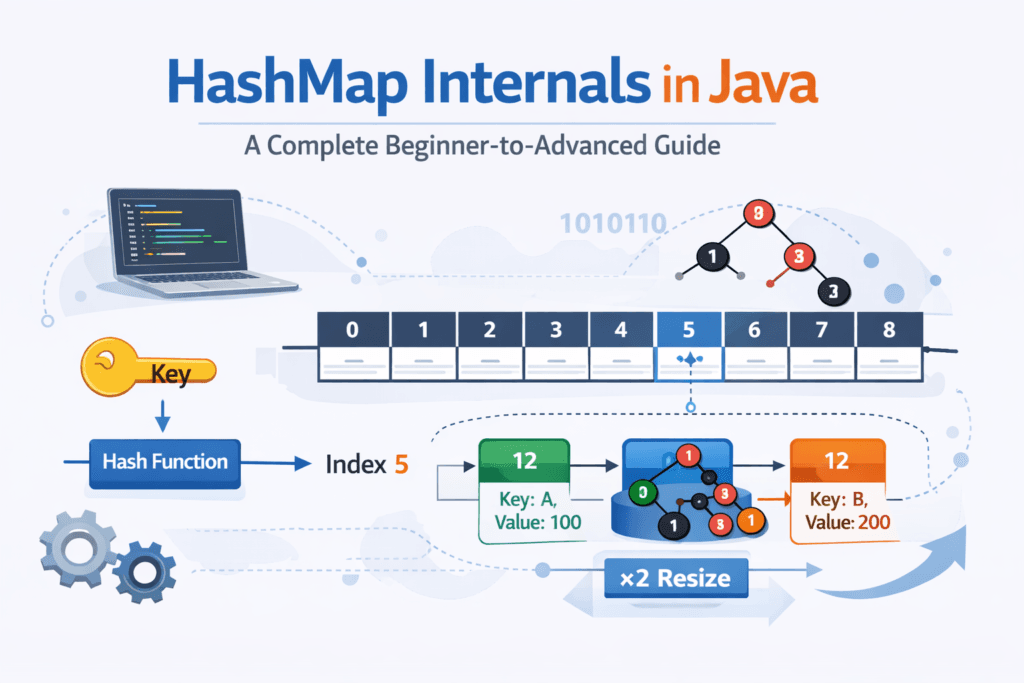
In this tutorial, we’ll break down how HashMap works internally, with diagrams, Mermaid code, and practical insights.
What is HashMap in Java?
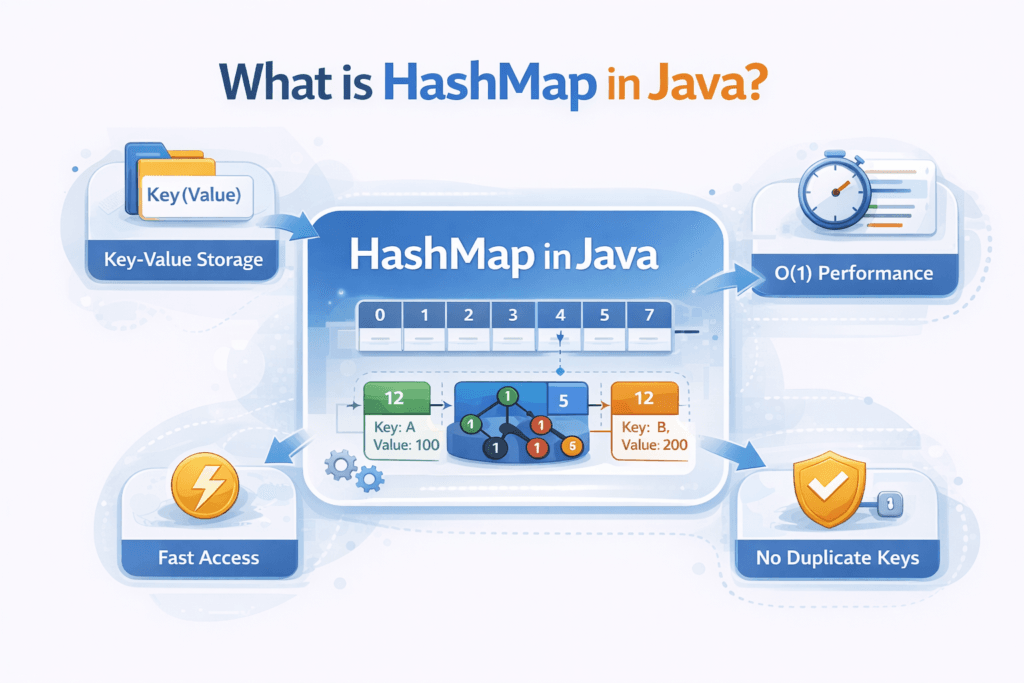
HashMap is a part of the Java Collections Framework that stores data in key–value pairs and allows:
- Fast insertion
- Fast retrieval
- Fast deletion
All operations (put, get, remove) work in O(1) average time complexity.
High-Level Architecture of HashMap
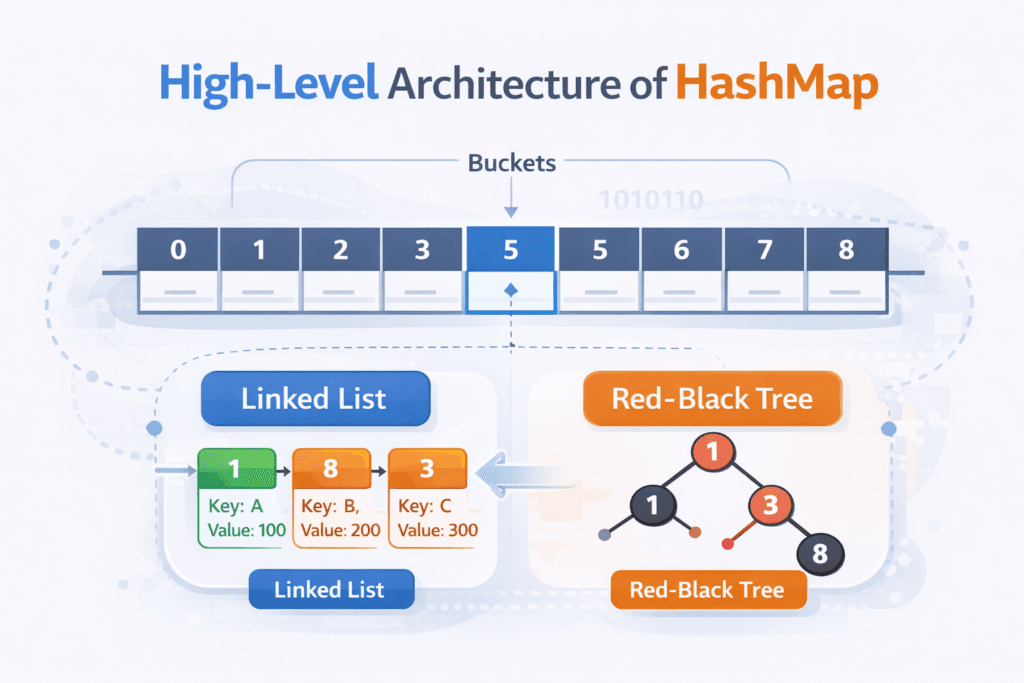
Internally, a HashMap in Java is built on a bucket-based architecture that combines arrays, hashing, and dynamic data structures to achieve high performance.
At a high level, the architecture consists of the following key components:
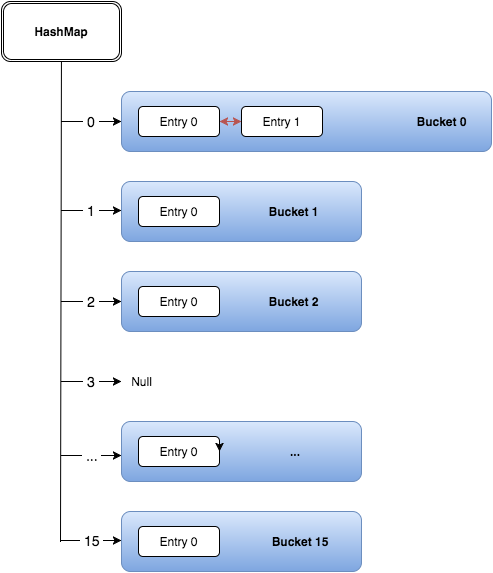
1. Bucket Array (Table)
A HashMap internally maintains an array called the table, where each element of the array represents a bucket.
- The bucket array stores references to entries (nodes)
- Default initial capacity is 16
- The capacity is always a power of 2
- Each bucket is identified by an index, calculated from the key’s hash
This design allows HashMap to quickly locate where a key-value pair should be stored.
2. Hashing and Bucket Mapping
When a key is inserted, HashMap:
- Computes the key’s
hashCode() - Applies internal bit manipulation to spread hash bits
- Maps the hash to a bucket index using:
index = (n - 1) & hash;
This approach:
- Avoids expensive modulo operations
- Ensures uniform distribution of keys
- Minimizes collisions
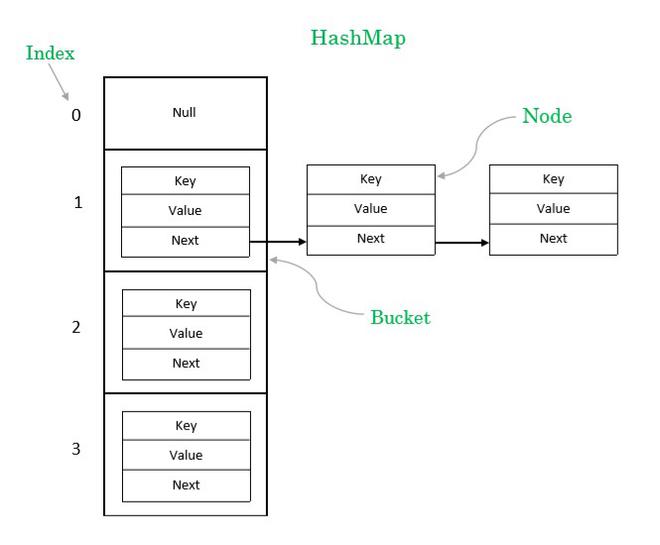
3. Buckets and Collision Storage
Each bucket can store multiple entries if different keys map to the same index (collision).
Depending on the number of entries in a bucket, HashMap uses different internal structures:
🔹 Linked List (Java 7 and default in Java 8)
- Used when collisions are minimal
- Nodes are connected using
nextreferences - Efficient for small bucket sizes
Bucket → Node1 → Node2 → Node3 → null
🔹 Red-Black Tree (Java 8+ Optimization)
To prevent performance degradation in heavily populated buckets:
- If the number of nodes in a bucket exceeds 8
- And the total capacity is at least 64
The linked list is converted into a Red-Black Tree.
This improves worst-case lookup time from O(n) to O(log n) and protects HashMap against excessive collisions.
4. Dynamic Nature of the Architecture
The HashMap architecture is dynamic, meaning:
- Buckets grow and shrink as entries are added or removed
- The internal structure adapts automatically (list → tree)
- The table resizes when the load factor threshold is exceeded
This dynamic behavior ensures that HashMap maintains consistent performance even as data grows.
Why This Architecture Is Important
This layered architecture enables HashMap to:
- Deliver O(1) average-time operations
- Handle collisions efficiently
- Scale to large datasets
- Avoid performance bottlenecks in worst-case scenarios
Internal Data Structure of HashMap
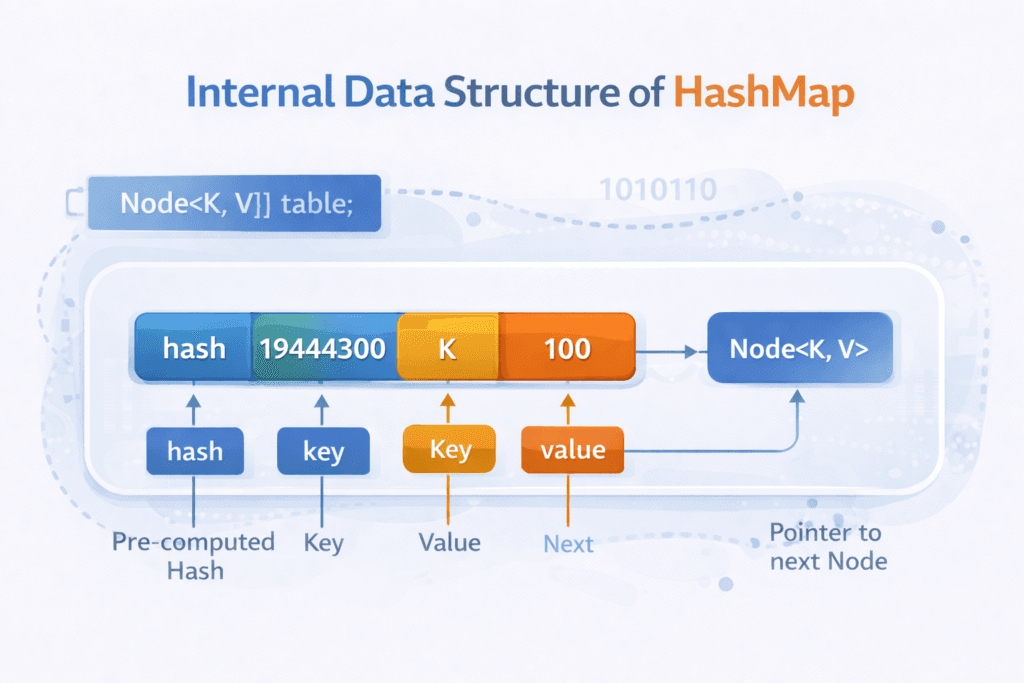
At its core, HashMap uses an array of Nodes:
Node<K, V>[] table;
Each Node contains:
hashkeyvaluenext(pointer to next node)
HashMap Node Structure
classDiagram
    class Node {
        int hash
        K key
        V value
        Node next
    }
How HashMap Works Internally (Step-by-Step)
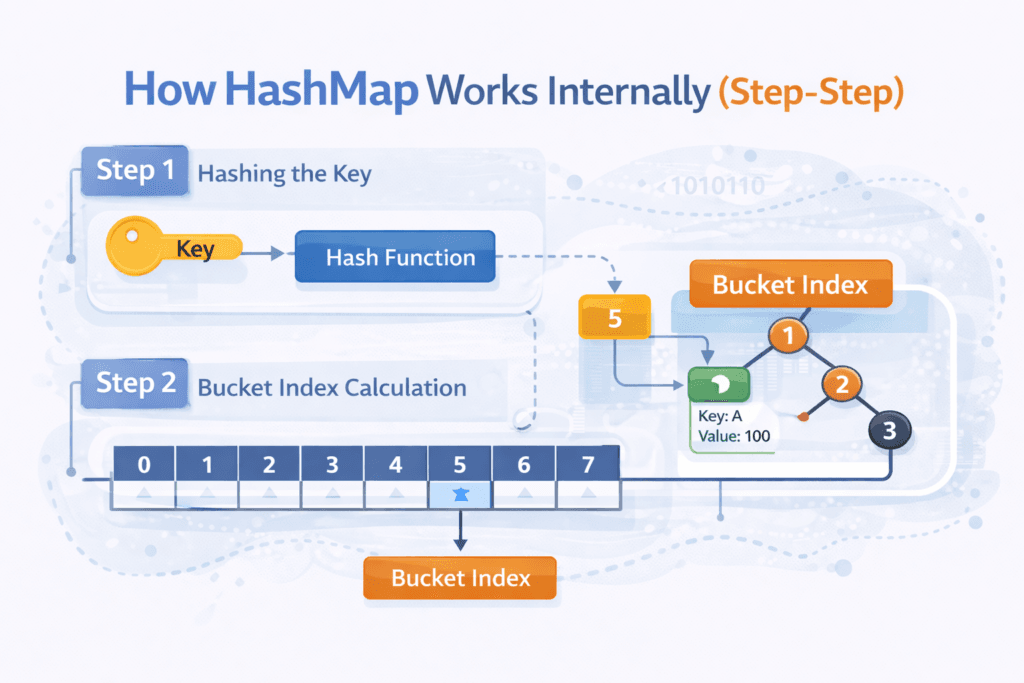
Step 1: Hashing the Key
When you call:
map.put(key, value);
HashMap internally calls:
hash = key.hashCode();
Then it applies a bitwise operation:
index = (n - 1) & hash;
This determines which bucket the entry goes into.
Step 2: Bucket Index Calculation
flowchart LR
    A[Key] --> B[hashCode()]
    B --> C[Bitwise AND]
    C --> D[Bucket Index]
Collision Handling in HashMap
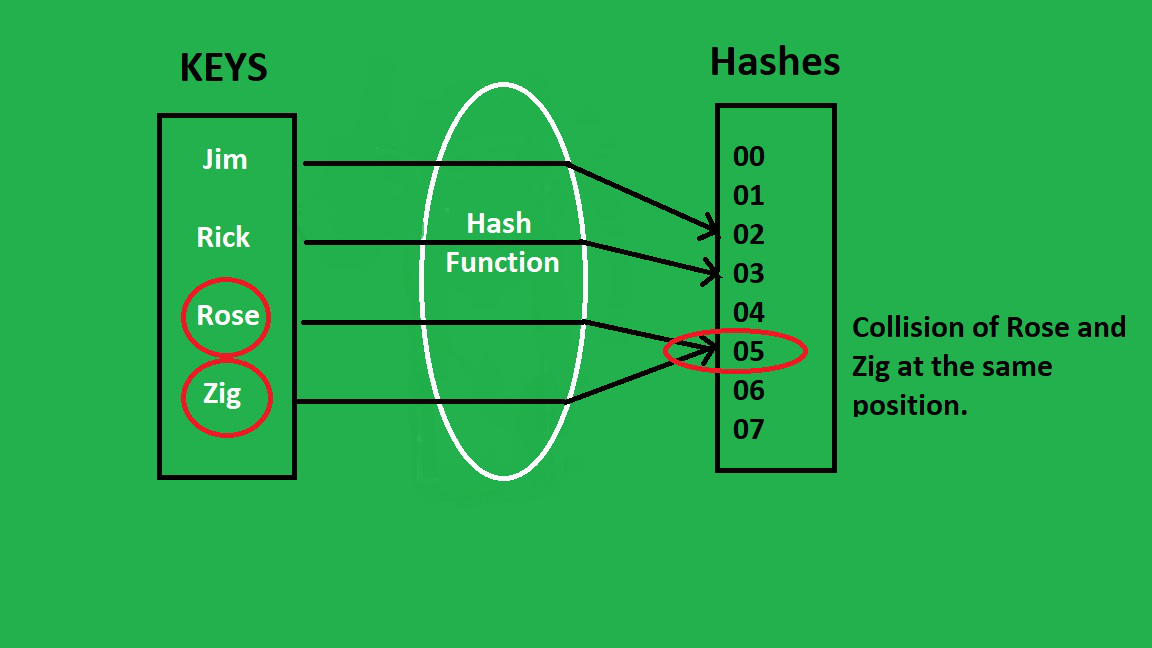
A collision occurs when:
- Two different keys generate the same bucket index
Java 7 Approach
- Collisions handled using Linked List
Java 8+ Optimization
- If bucket size exceeds 8 nodes
- Linked List converts into a Red-Black Tree
Collision Resolution Diagram
graph TD
    A[Bucket Index] --> B[Node 1]
    B --> C[Node 2]
    C --> D[Node 3]
Treeification in Java 8+
Java introduced treeification to improve worst-case performance.
When does it happen?
- Bucket size > 8
- Total capacity ≥ 64
Performance Improvement
| Structure | Time Complexity |
|---|---|
| Linked List | O(n) |
| Red-Black Tree | O(log n) |
Treeified Bucket Structure
graph TD
    A[Root] --> B[Left Child]
    A --> C[Right Child]
    B --> D[Leaf]
Load Factor & Rehashing
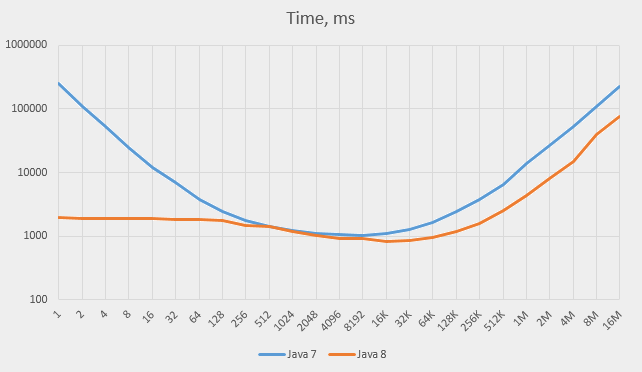
Default Values
- Initial Capacity:
16 - Load Factor:
0.75
Resize Condition
if (size > capacity * loadFactor) {
    resize();
}
When resizing:
- Capacity doubles
- All entries are rehashed
- Performance cost occurs temporarily
Rehashing Flow
flowchart TD
    A[Threshold Reached] --> B[Double Capacity]
    B --> C[Recalculate Hashes]
    C --> D[Redistribute Buckets]
How get() Works Internally
map.get(key);
Steps:
- Compute hash
- Find bucket index
- Traverse list/tree
- Match key using
equals()
Important Rule
If
hashCode()is equal,equals()must be checked
Why equals() and hashCode() Are Critical
Bad implementations cause:
- Excessive collisions
- Poor performance
- Memory overhead
Best Practice
@Override
public int hashCode() {
    return Objects.hash(id);
}

@Override
public boolean equals(Object o) {
    if (this == o) return true;
    if (!(o instanceof User)) return false;
    User u = (User) o;
    return id == u.id;
}
Time Complexity Summary
| Operation | Average | Worst Case |
|---|---|---|
| put() | O(1) | O(log n) |
| get() | O(1) | O(log n) |
| remove() | O(1) | O(log n) |
Common HashMap Interview Questions
- Why HashMap is not thread-safe?
- Difference between HashMap and Hashtable?
- Why treeification threshold is 8?
- How resizing affects performance?
- What happens if
hashCode()is poorly implemented?
Best Practices for Using HashMap
✅ Use immutable keys
✅ Override hashCode() and equals() properly
✅ Set initial capacity for large datasets
❌ Avoid mutable objects as keys
Final Thoughts
Understanding HashMap internals in Java gives you:
- Strong interview confidence
- Performance optimization skills
- Better design decisions in real systems
HashMap is simple to use — but powerful only when understood deeply

Code is for execution, not just conversation. I focus on building software that is as efficient as it is logical. At Ganforcode, I deconstruct complex stacks into clean, scalable solutions for developers who care about stability. While others ship bugs, I document the path to 100% uptime and zero-error logic
2 thoughts on “HashMap Internal Working in Java – A Complete Beginner-to-Advanced Guide”